New cameras, faster wireless access points and additional workstations all depend on the network behind them. For a Durban business planning an office move or technology upgrade, structured cabling deserves attention before the equipment arrives.
The current developments are not a reason to replace every working cable. They are a reason to check whether your infrastructure can support the devices you want to add—and whether the installation will be easy to maintain afterwards.
Faster Wi-Fi makes the wired connection important
Wi-Fi 7 is one of the developments prompting businesses to review their network infrastructure. A faster access point does not automatically deliver faster service if its wired uplink or the wider network becomes a bottleneck.
Choose cabling and switch ports around the actual access point specifications. Different models have different Ethernet interfaces and power requirements; there is no single port count or speed that applies to every deployment.
For new installations designed around 10-gigabit Ethernet, Cat6A is worth considering. Existing Cat5e or Cat6 links should be assessed against the required application before deciding what needs replacement. Cat6A is an established cabling category, not a newly introduced 2026 standard.
PoE planning goes beyond counting ports
Power over Ethernet can carry data and power to compatible cameras, wireless access points and phones. That makes installation convenient, but a switch with enough sockets may still have an insufficient power budget.
Check the requirements of each device and the switch’s total available PoE power. Ask what happens when all devices operate together, including cameras using additional functions at night.
Modern test equipment can help investigate cable performance and PoE delivery under load. That matters when a device starts correctly but behaves unpredictably during operation. A simple continuity check alone does not demonstrate every aspect of network performance.
Consider fibre where the network design needs it
A link between buildings or a busy connection between network cabinets deserves its own design decision. Fibre may be appropriate for the distance, capacity and site conditions involved.
Specify the complete link: cable, connectors, compatible optical modules, termination and testing. Buying “fibre” without confirming those details can leave you with equipment that does not work together.
Make the cabinet easier to support
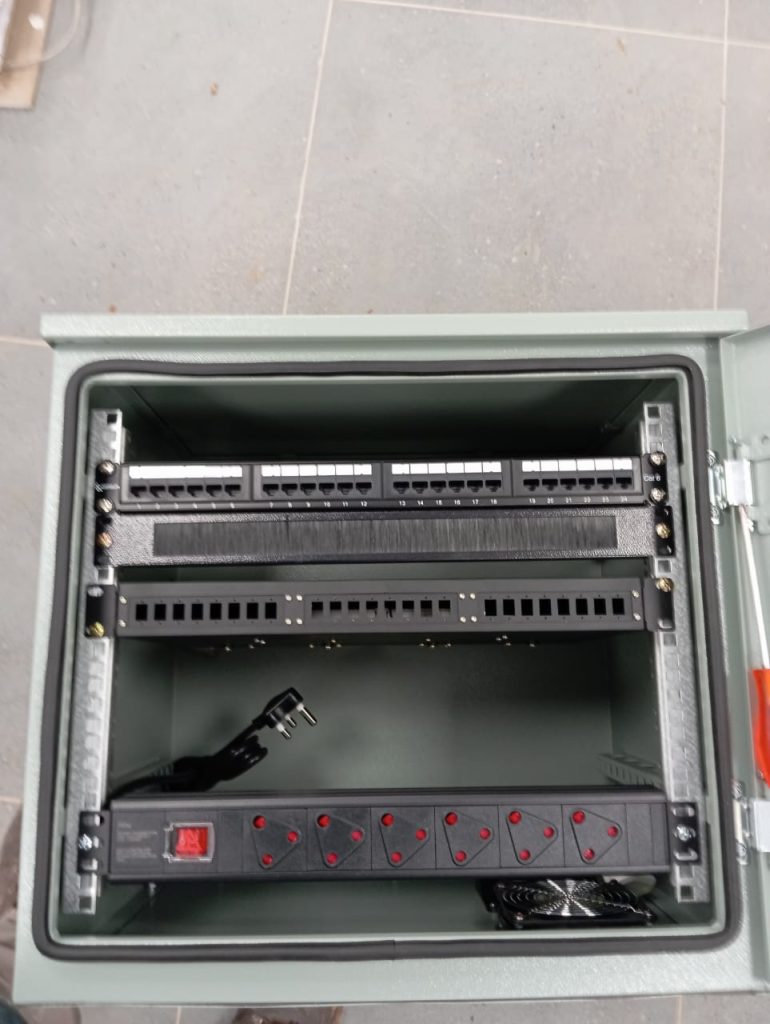
A network cabinet should tell a clear story. Labels should identify where connections go, patch leads should be manageable and there should be room to work safely without disturbing unrelated connections.
Before an installation, agree on the number and location of current and planned network points, equipment power requirements and available switch capacity. Include cabinet space, ventilation, cable routes, labelling, documentation and the testing results you will receive.
These details are especially useful when a business adds cameras, phones or another office later. They give the next technician a starting point instead of a cabinet full of unknown connections.
Planning network cabling in Durban or KZN? See Zapture’s structured cabling services or request a discussion about your site. Start with the equipment, layout and growth plans so the cabling supports the business you are building.
Further reading
Fluke Networks: cabling for Wi-Fi · Fluke Networks: cable, network and PoE testing
Let’s discuss your project
A practical solution, tailored to your site and budget.